 TryOn
Keep your shoes in frame
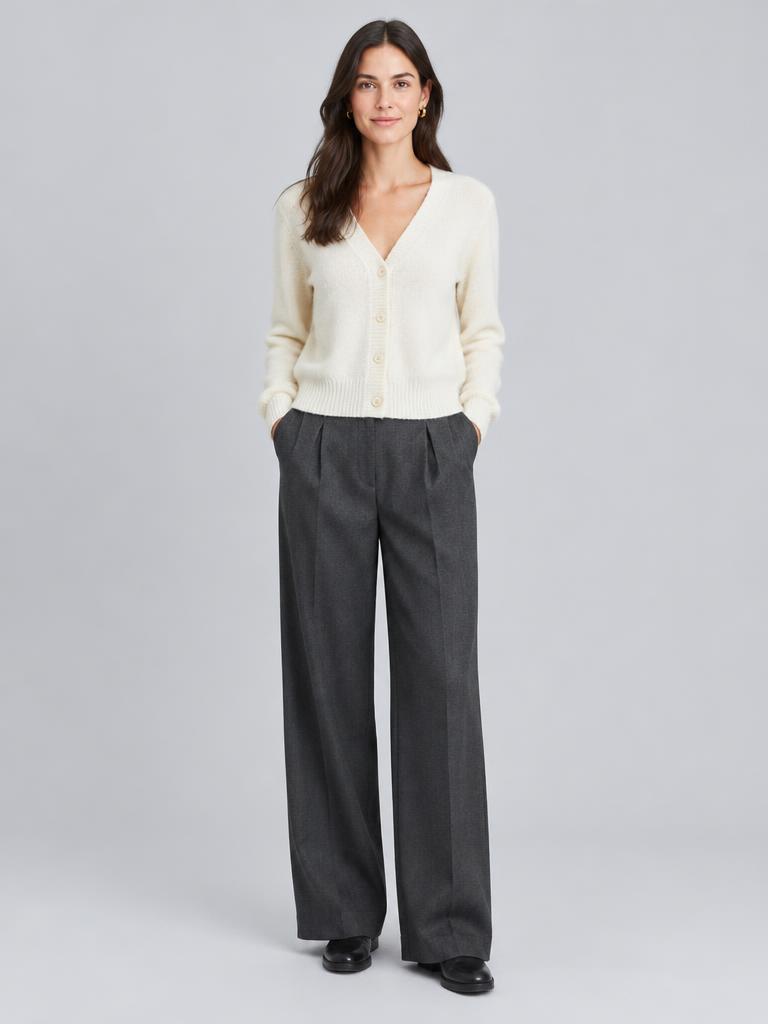
Stand head to feet with both shoes visible. The preview needs your ankle and the floor to place the shoe at the right scale.
毎日、無料試着1回・無料動画1本・無料画像1枚 — 登録不要無料でできること
A sneaker looks one way on a shelf and another under a hem. Preview the pair on your own photo to see how much of the shoe shows, how bulky the sole reads, and whether it suits the length of your trousers.
2つの画像。新しい視点。
デフォルトで非公開 · いつでも結果を削除可能
可能性の初見
One free preview every day, no account needed.
Stand head to feet with both shoes visible. The preview needs your ankle and the floor to place the shoe at the right scale.
The side view carries the sole height, the toe box and the collar. A top-down photo flattens all three and produces a shoe that looks like a slipper.
Look at how much sock and shoe shows under the trouser. That gap, not the shoe alone, is what makes an outfit read intentional.
The honest answers, including what a preview cannot tell you.
Approximately. Bulk comes from the midsole and the toe box, both visible in a side-profile photo, so the silhouette is reliable. Actual weight and how stiff the upper feels are not things a picture can carry.
No. Sizing is a measurement question and a preview works from pixels. Read the brand chart and, for sneakers specifically, the reviews that mention sizing for that model.
You will see the proportion — whether a platform sole changes your leg line — but not the millimetres. If the difference between a 2 cm and a 4 cm sole matters to you, check the spec sheet.